 SWawi easy
More than invoices? SWawi advanced.
Cost estimates, quotes, order confirmations, delivery notes, projects and recurring invoices – in the same app, with the same customers, items and document templates. Buy once, no subscription. If you only write invoices, you stay with SWawi easy and won't notice any of this.
Every document is created from its predecessor with "Convert". Line items, discount, customer, address and project come along – nothing is typed a second time.

Quote AN25-0001 – line items in groups with subtotals, discount and total on the right. In the header the ovals of the transaction: cost estimate, quote, order confirmation, delivery note and invoice – each stage one click away. (Sample data in German.)
One job, five documents
Played through once, using an electrical contractor as the example: a new workshop hall with an office wing. From the cost estimate in September to the paid invoice in March – every document created from the previous one, no amount typed twice.
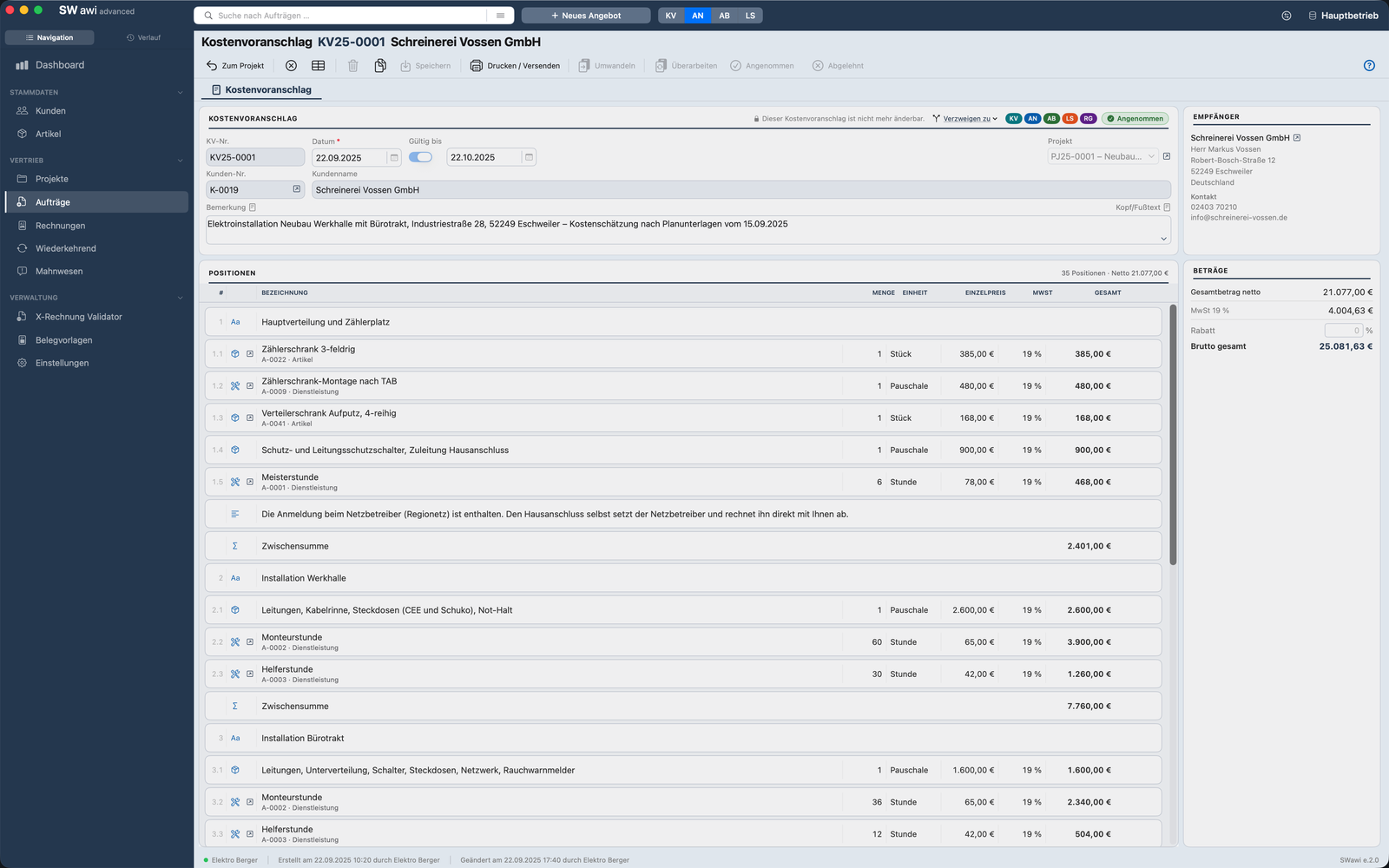
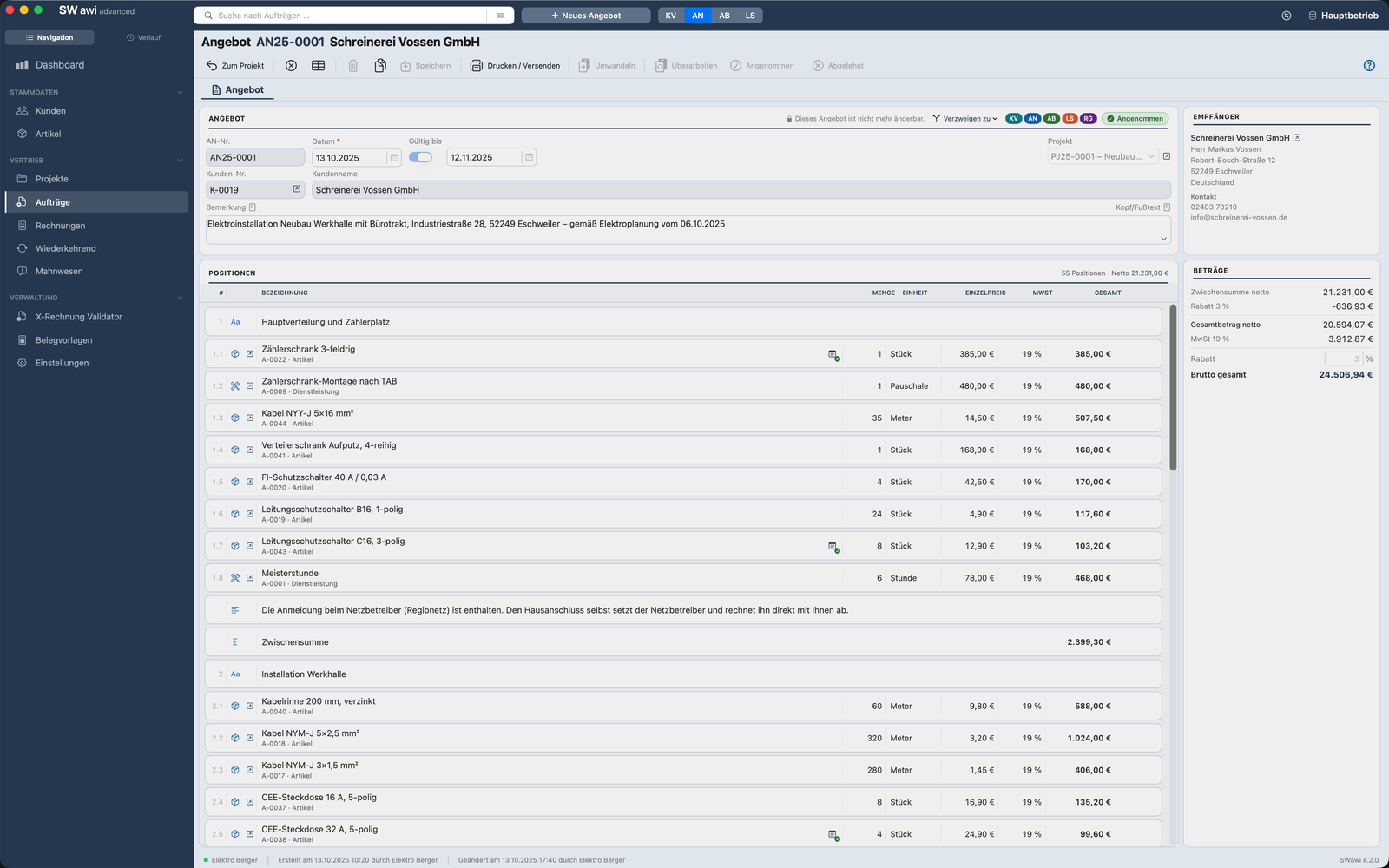
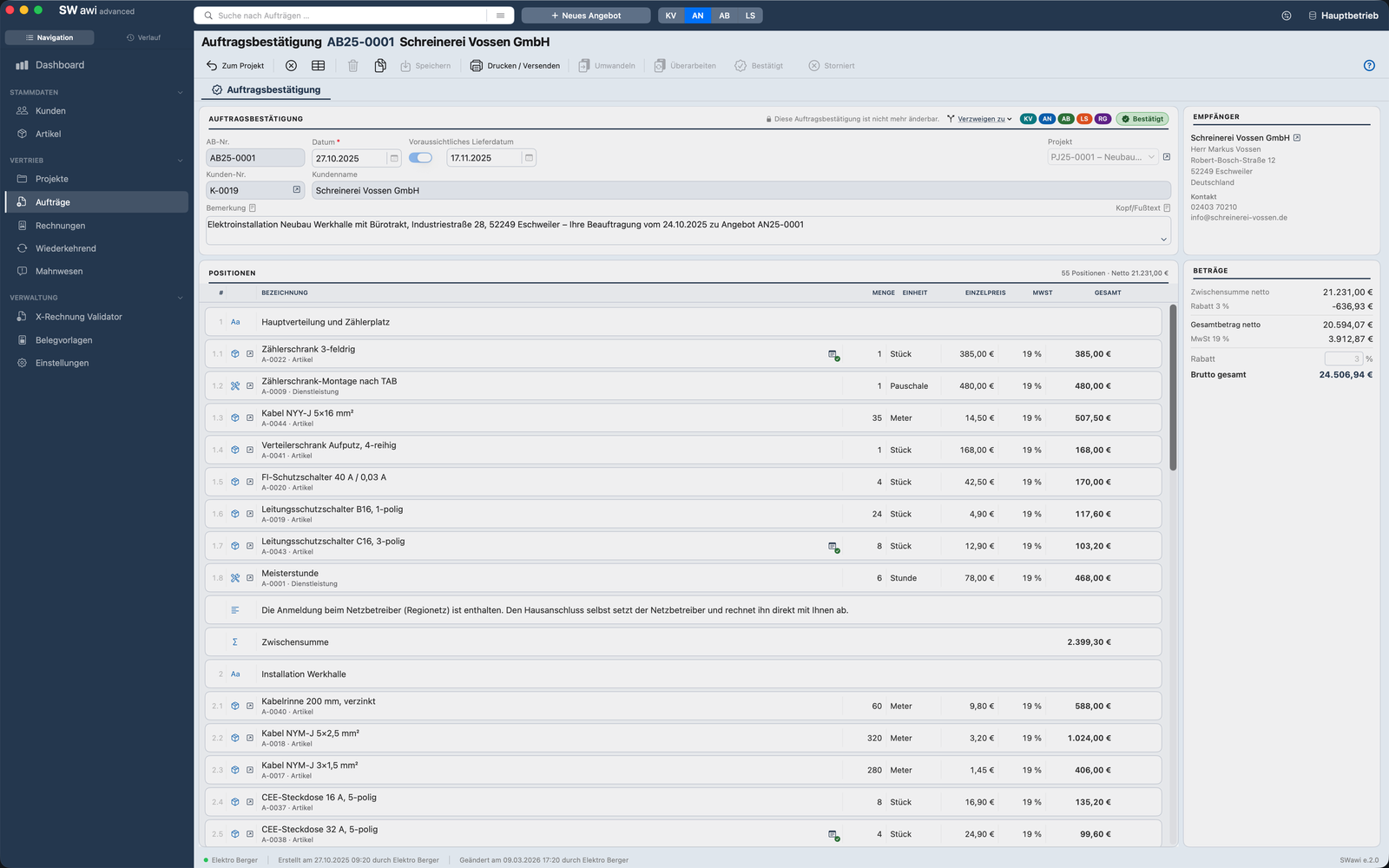
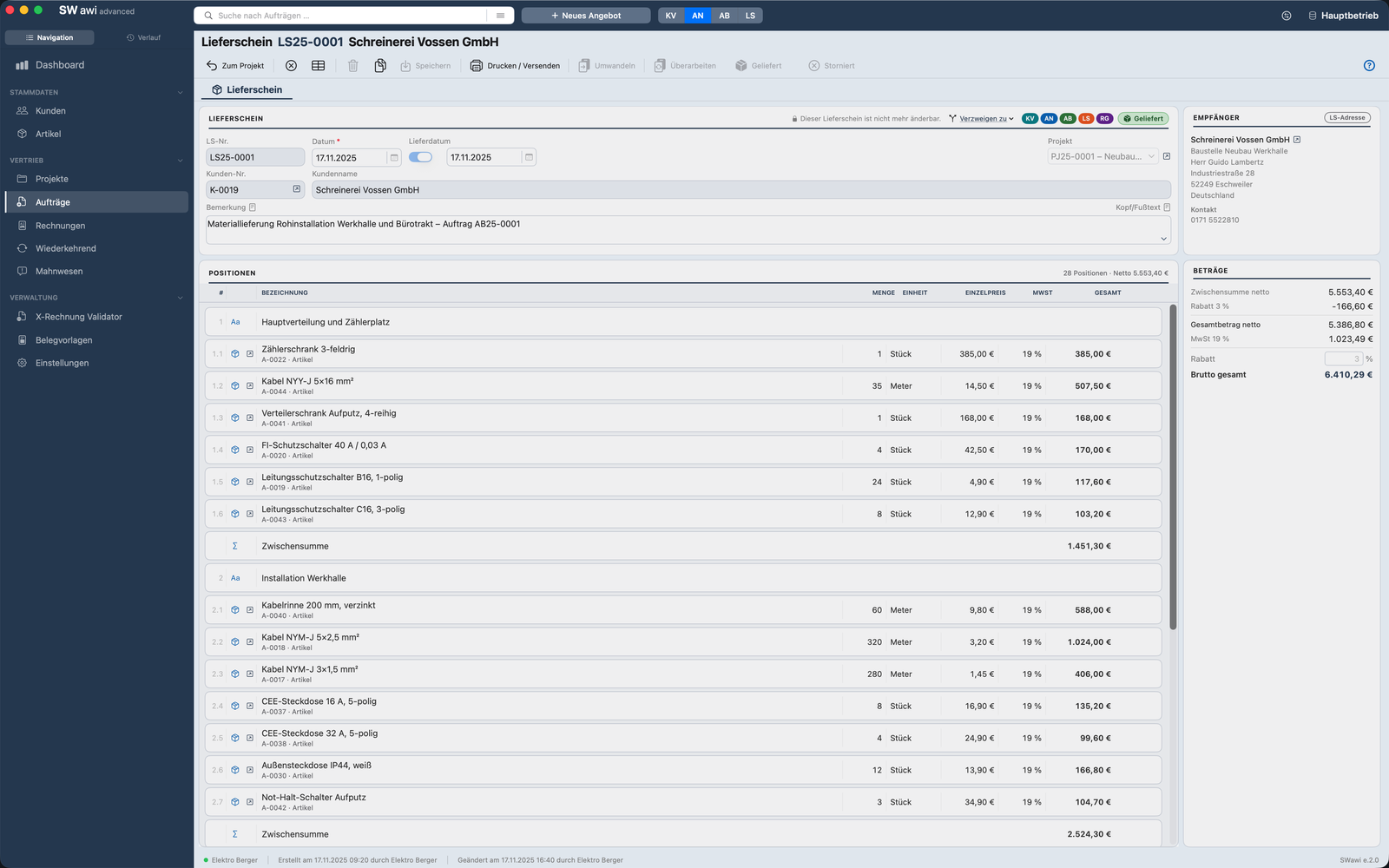
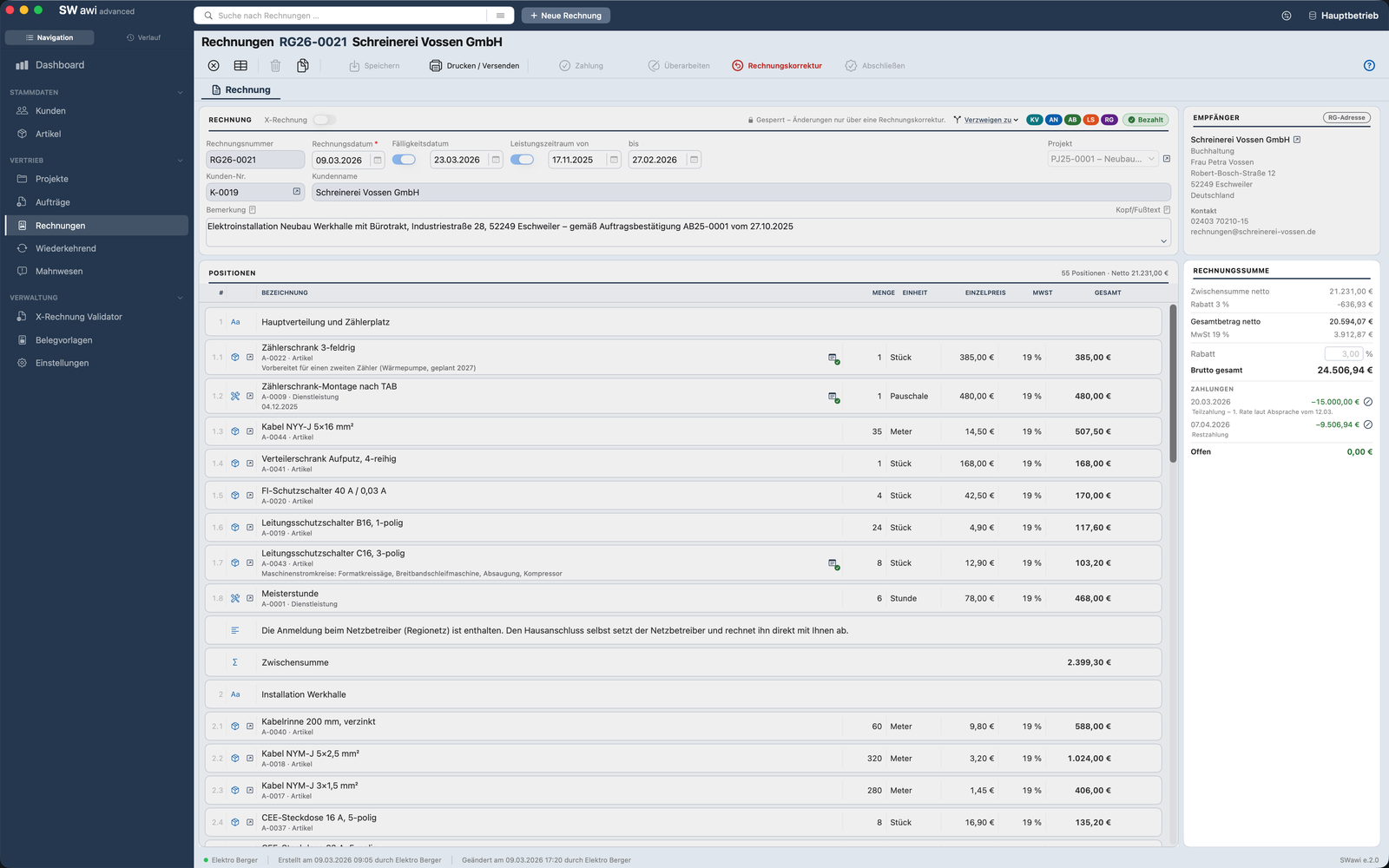
Five documents, one transaction – scroll to the right. Click opens the large view.
What the customer receives
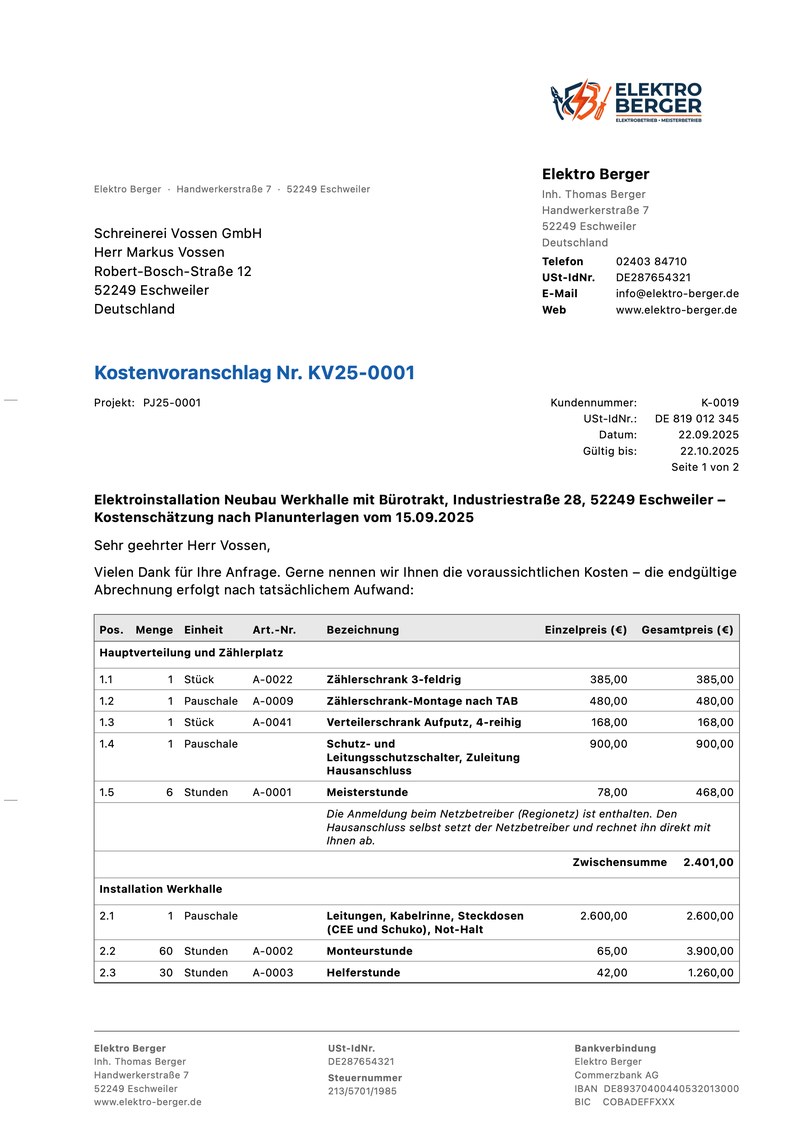
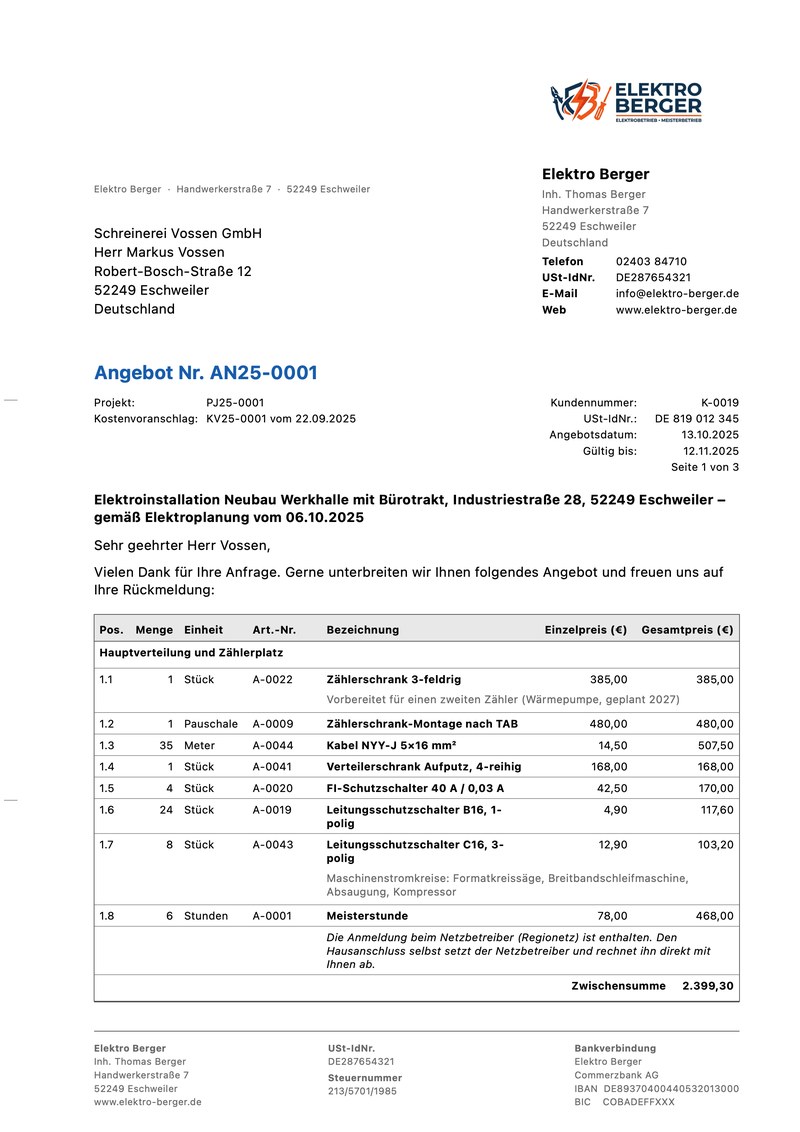
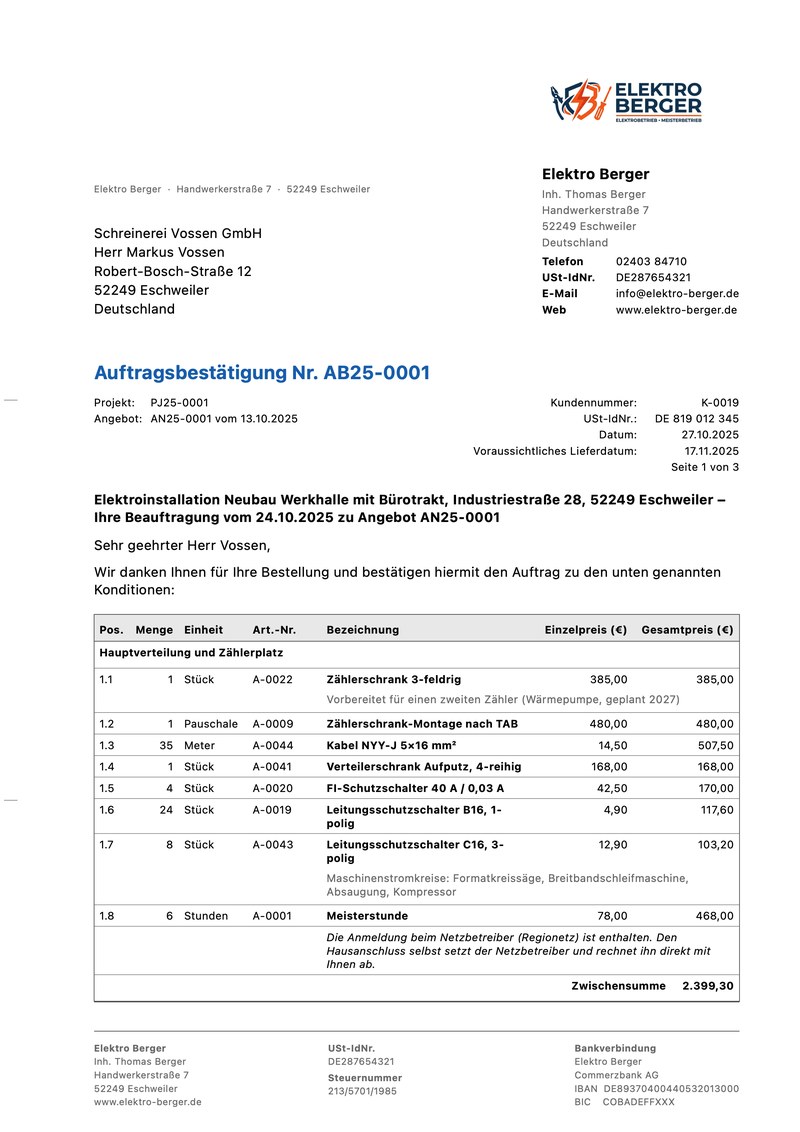
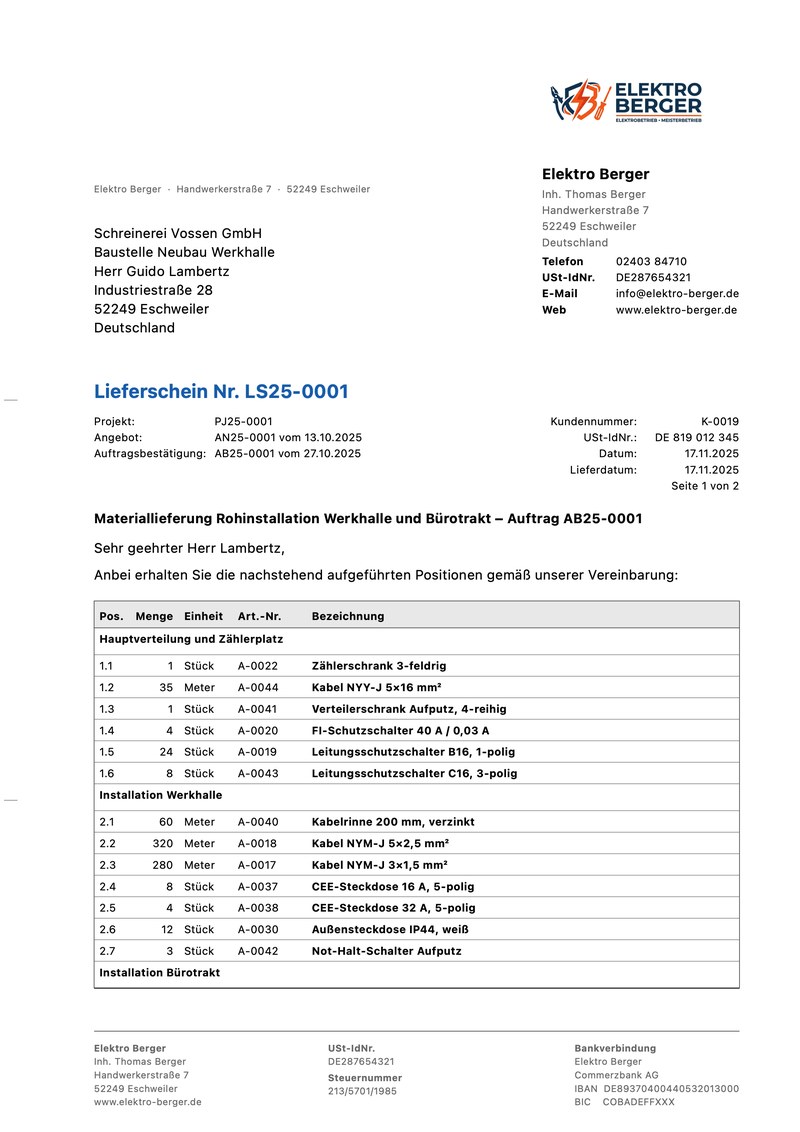
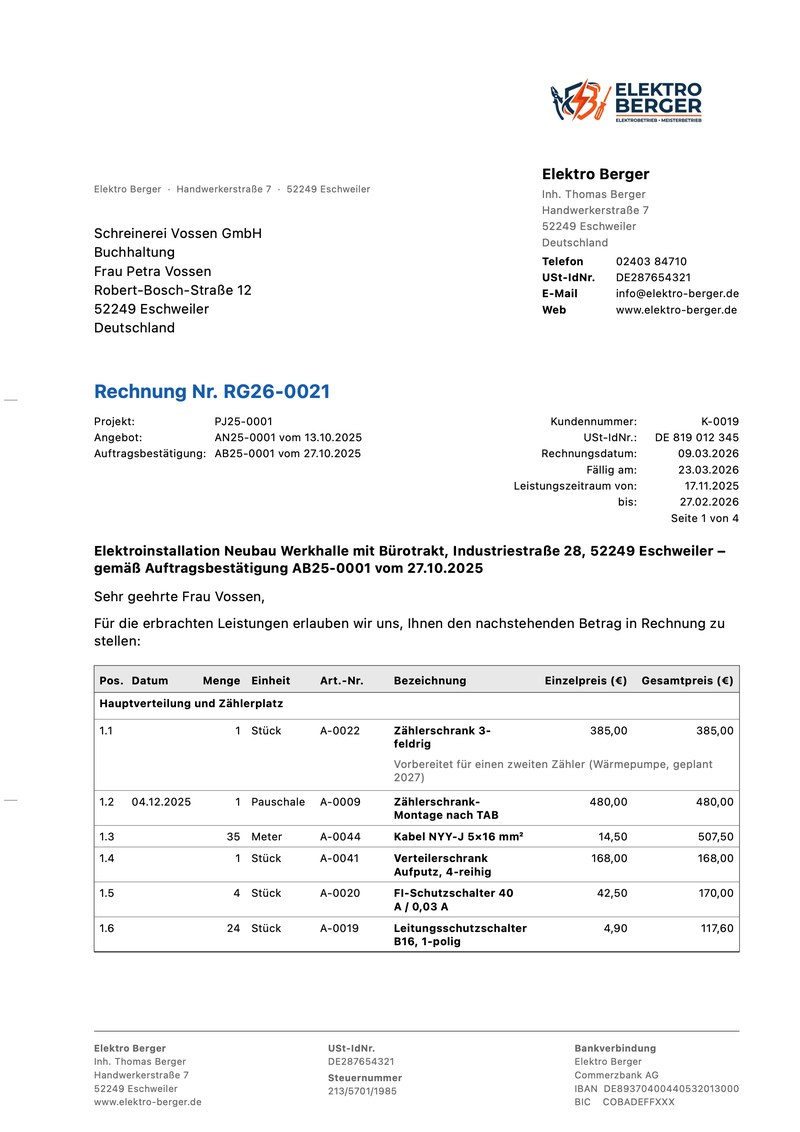
The same five documents as PDF, exactly as SWawi prints or e-mails them – with groups, subtotals, line notes and the reference to the previous documents in the header. Sample documents in German.
What Advanced adds
Six modules that appear in the sidebar as soon as the purchase goes through. Everything else stays the way you know it.
Cost estimates & quotes
With "Valid until", status Open → Accepted / Declined, revising as a new version. The cost estimate is the rough figure up front, the quote the binding price – each with its own number range.
Order confirmations
One click from the quote. Names the quote with number and date on the printout; status Confirmed or Cancelled, delivery date included.
Delivery notes
For the handover on site: no prices, with delivery date, from the order confirmation or straight from the quote. The delivery note becomes the invoice.
Projects
All documents of a job in one place – with budget, target and actual, notes, files and a printable project sheet. A project switches to "In progress" by itself as soon as a document is attached.
Recurring invoices
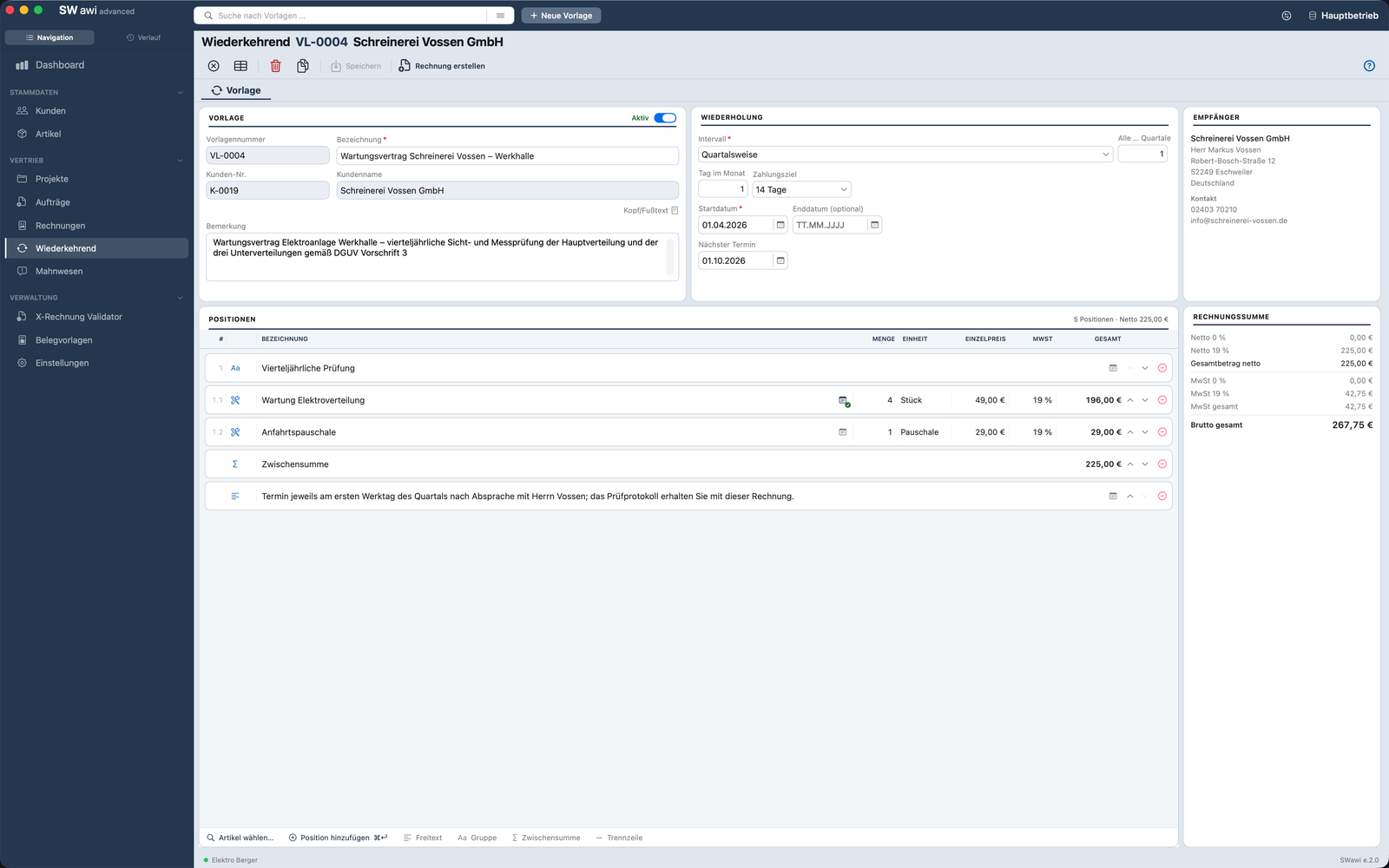
Maintenance contract, rent, flat fee, hosting: set it up once as a template, SWawi creates the invoice when it is due – as a draft that you check and issue as usual. Nothing is sent by itself.
Statistics
Under Administration: how quickly your customers pay, revenue compared with the previous year, the biggest customers, what’s coming in soon and which product groups bring in revenue. The “Orders” switch shows how many quotes are accepted, which ones to follow up, what is done but not yet invoiced, and the order intake. Printable for a calendar year.
Reverse charge and small-business rule on every document
Cost estimate, quote and order confirmation follow the customer's reverse charge flag and remember your small-business status – the invoice inherits both.
Extra addresses per document type
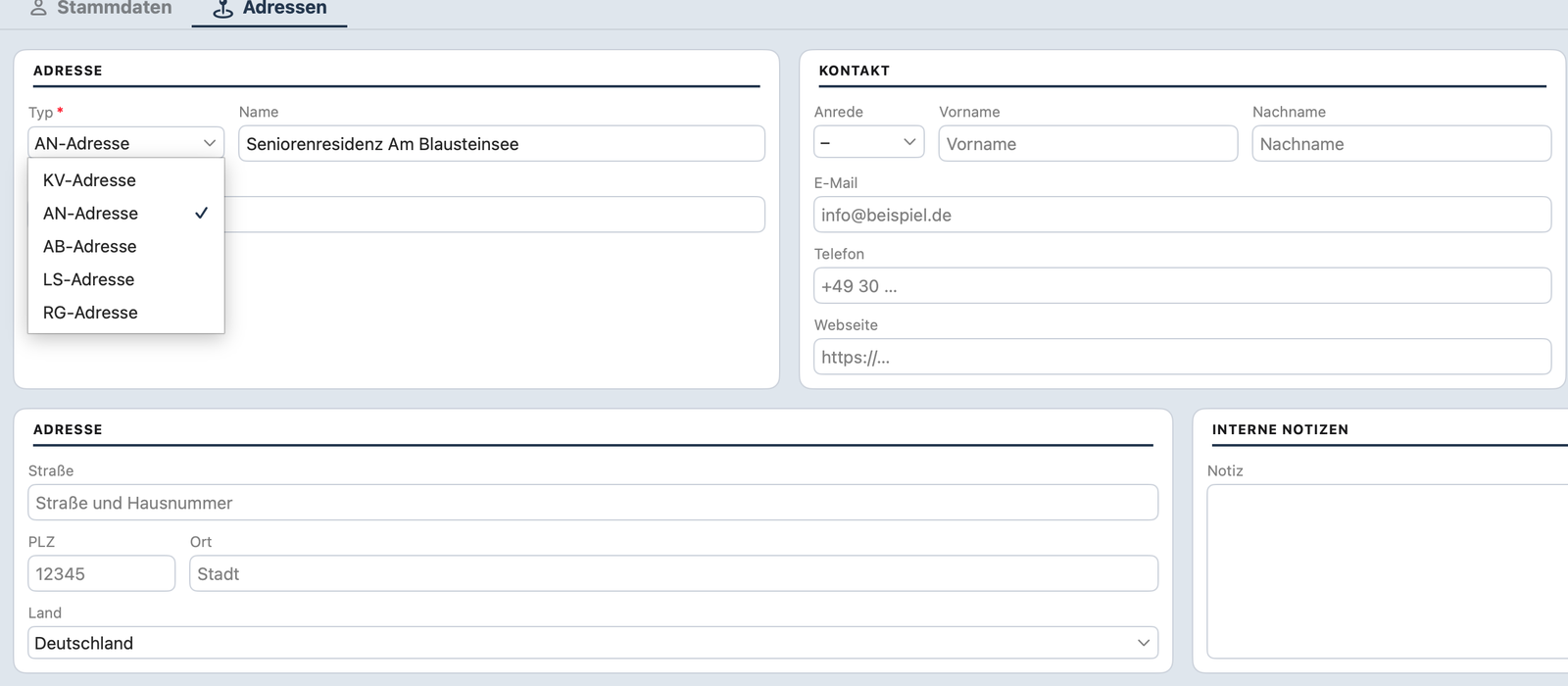
A customer can have a separate address for cost estimate, quote, order confirmation, delivery note and invoice – site, warehouse, accounting.
Built-in help for every module
Orders, Projects, Recurring and Statistics have their own help sections – field by field, in German, English and French, with a help button right in the form.
Around the job
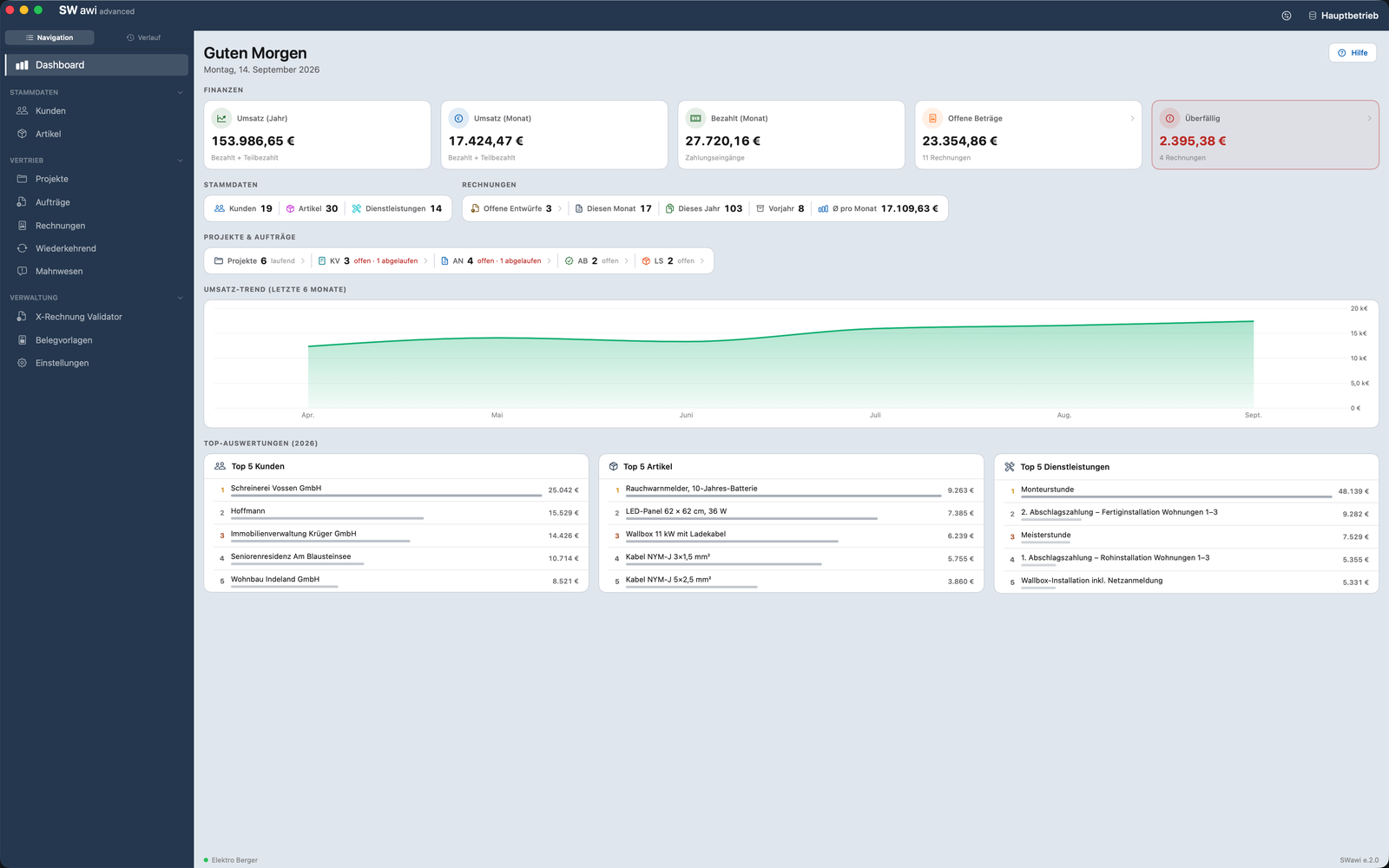
The project as the bracket around all documents, the dashboard with the new key figures, a maintenance contract as a template and one address per document type.

Project PJ25-0001 – all five documents of the job with their status in one place, on the right the budget with target and actual (quote and cost estimate no longer count once the order confirmation exists), plus dated project notes and the attached files.
Statistics
New in 2.5: how the year is going, who pays how fast, what is coming in soon – on one page, in plain sentences rather than bare numbers.

The “Invoices” tab: at the top the year-on-year comparison month by month, below it the open amounts by due date (overdue in red), revenue by product group, how fast customers pay on average and which customers account for the largest share of revenue. The “Orders” tab shows the quote success rate, the follow-up list and order intake.
Easy or Advanced?
Advanced contains everything in Easy. The only question is whether you write a quote before the invoice.
| Easy | Advanced | |
|---|---|---|
| Writing invoices | ||
| Invoices, partial payments, invoice corrections and partial credit notes | ✓ | ✓ |
| Customer and item master, CSV import, Mac Contacts (Mac only) | ✓ | ✓ |
| E-invoicing: XRechnung, ZUGFeRD, ebInterface, QR-bill, validator | ✓ | ✓ |
| Three document designs, your logo, several letterheads | ✓ | ✓ |
| Number of databasese.g. a second business or one to play with, switched with a click | 2 | 3 |
| Four-level dunning, dashboard | ✓ | ✓ |
| Documents and interface in German, English and French | ✓ | ✓ |
| Small-business rule, reverse charge, gross prices, pass-through items | ✓ | ✓ |
| Audit-proof, automatic backups, 10 invoices free to try | ✓ | ✓ |
| Before the invoice | ||
| Cost estimates and quotesValid until, Accepted / Declined, revising | – | ✓ |
| Order confirmationsreferring to the quote, delivery date | – | ✓ |
| Delivery notesno prices, with delivery date | – | ✓ |
| Alternative items in cost estimates and quoteswith their price, without counting towards the total | – | ✓ |
| The transaction: converting from stage to stage, predecessors on the printoutestimate → quote → confirmation → delivery note → invoice, each stage only once | – | ✓ |
| Extra addresses per document type in the customer master | – | ✓ |
| Around the job | ||
| Projectsbudget, target / actual, notes, files, project sheet | – | ✓ |
| Recurring invoicestemplates with interval, invoice created as a draft when due | – | ✓ |
| Customer fileevery transaction of a customer in one tab | – | ✓ |
| Product groups for items | – | ✓ |
| Statisticspayment behaviour, year-on-year, customers, product groups, quote success rate, order intake | – | ✓ |
| Built-in help for Orders, Projects, Recurring and Statistics | – | ✓ |
Pay once. Keep it.
Three one-time purchases, no subscription, no running costs. If you buy Easy first and upgrade later, you end up paying exactly what a direct buyer pays.
For everyone who writes invoices
The full feature set for invoices, e-invoicing and dunning. 10 invoices free, then a one-time purchase.
For everyone who writes a quote first
Everything in Easy – plus cost estimates, quotes, order confirmations, delivery notes, projects and recurring invoices.
- Easy is included
- The limit of 10 invoices is gone
- Applies to every Mac with your Apple Account, or every Windows PC with your Microsoft account
For everyone who already owns Easy
The same scope as SWawi advanced. The app recognises your Easy purchase and shows only the upgrade price – €34.99 plus €14.99 is exactly €49.99.
Prices in the German and Austrian App Store. In Switzerland Apple charges in CHF at the local price. The purchase goes through the App Store – with its receipt, payment methods and Family Sharing. On Windows you buy in the Microsoft Store: Advanced €49.49, upgrade €14.49. Mac and Windows are separate purchases.
How to unlock Advanced
Right inside the app, no second download. Your data stays where it is.
- Open SWawi easy – from version 2.0 the row "SWawi advanced" sits at the bottom of the sidebar. If you have dismissed it on the Mac, it is in the menu SWawi easy → SWawi advanced…
- The window shows what is added, and exactly one price – the full price or, if Easy is already purchased, the upgrade price. "Unlock now" opens the purchase dialog of the App Store, or of the Microsoft Store on Windows.
- Done. Orders, Projects, Recurring and Statistics appear in the sidebar immediately, no restart. Customers, items, invoices and settings are untouched – it is the same database.
- Second computer? "Restore purchases" in the same window brings the purchase to every Mac signed in with the same Apple Account – on Windows to every PC with the same Microsoft account.
Questions before upgrading
Do I need Advanced?
Only if you write a quote or cost estimate before the invoice, issue delivery notes or bill the same amount regularly. If you write invoices and get paid, SWawi easy covers you completely – Advanced does not make Easy better, it comes before and around it.
I already bought Easy. What do I pay?
Only the upgrade: €14.99 (€14.49 in the Microsoft Store). The app recognises the Easy purchase through your Apple Account or Microsoft account and does not even show the full price.
Can I buy Advanced without Easy?
Yes. The full purchase for €49.99 includes Easy – the limit of 10 invoices is lifted as well.
What happens to my data?
Nothing. Advanced is not a second app but the same one – the purchase unlocks modules. Customers, items, invoices, document templates and settings stay unchanged, the number ranges carry on.
Do I see anything of Advanced as an Easy customer?
One row at the bottom of the sidebar, which you can hide with a click. Nothing else: no locked menus, no greyed-out buttons, no help texts for features you don't have.
Is there a subscription?
No. SWawi runs locally on your Mac or Windows PC and needs no server – a subscription would not be honest. Updates are free, for Easy and for Advanced.
Easy first, Advanced later – or both at once
Download SWawi easy and write ten invoices for free. Advanced waits in the sidebar until you need it.

 Easy €34.99 · Advanced €49.99 · Upgrade €14.99 – each one-time